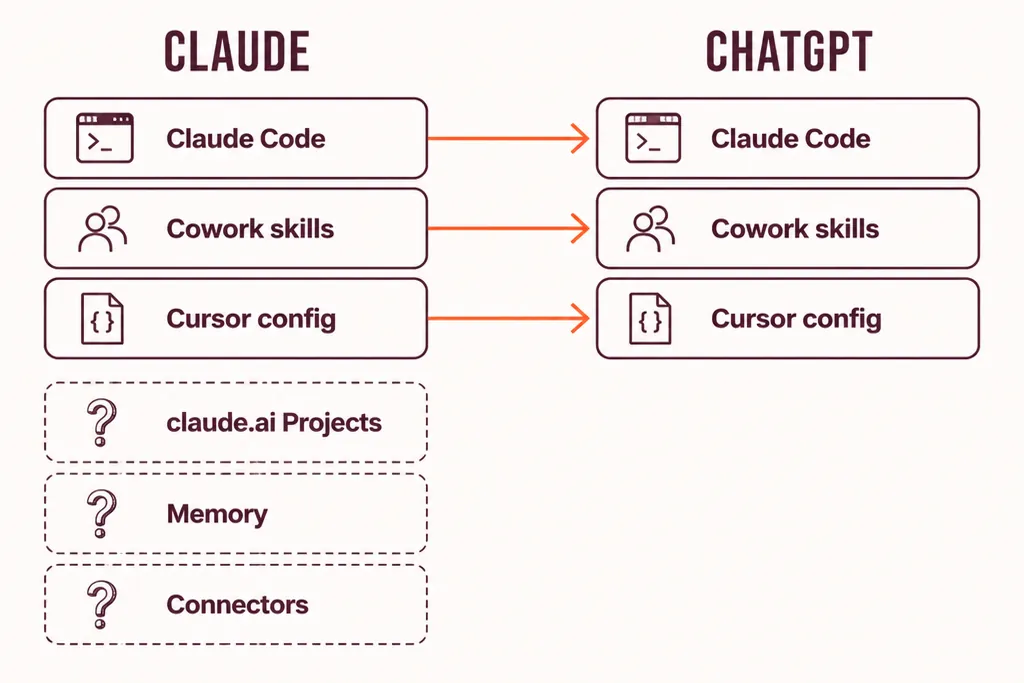
To move a team from Claude to ChatGPT for GPT-6 Astra, install the ChatGPT desktop app, open Settings, then Import, and pull your Claude Code and Claude Cowork setups across. claude.ai Projects, memory entries and connectors get rebuilt by hand. Run both tools for two to three weeks, then cut over on a date you announced on day one. On the seat price, the pitch has a point: a $25 ChatGPT Business seat puts Astra inside the plan, with a message cap, next to image generation, agent mode, Codex and deep research, while a $25 Claude Team seat bills Fable 5.1 as pay-as-you-go usage. On the API the two flagships cost exactly the same. We still don't advise switching for the price alone. If you want to anyway, here's how.
The forward that started this
Somebody forwarded you a post. GPT-6 Astra is out, it's cheaper, it's much more powerful, and your company is still paying for Claude. By Thursday the finance director had read the same post.
I've been having that conversation since Astra shipped. It starts with the price. Nobody has opened the price list.
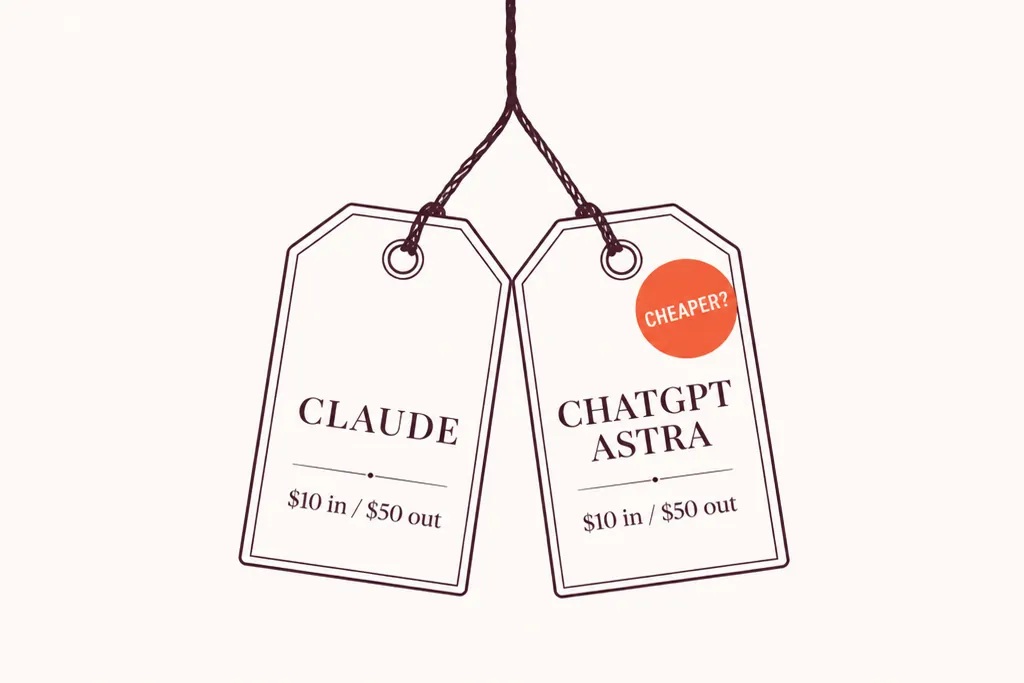
The post said cheaper. On the seat, it has a point. On the API, the price list says the same number twice. Which of the two you're paying for decides whether the post is right.
What the price list actually says
Most teams don't buy tokens. They buy seats. So start there.
On a seat: Astra is inside the plan, Fable 5.1 is on the meter
Both vendors now sell the same two seat shapes at the same prices: a standard seat at $25 a month or $20 on annual billing, and a premium seat at $125 a month or $100 annual. What sits inside the seat is where they part. The ChatGPT figures come from OpenAI's premium seats announcement and The Decoder's rollout report. The Claude figures come from Anthropic's Fable models on your plan help page, its pricing page and its Team plan help page.
| Seat | Price (monthly / annual) | Flagship model access | What else the seat carries |
|---|---|---|---|
| ChatGPT Business, standard | $25 / $20 | GPT-6 Pro (Astra), 15 messages a month, once an admin enables it | The GPT-6 family day to day, image generation, agent mode, deep research, Codex, custom GPTs, connectors, no training on workspace data |
| ChatGPT Business, premium | $125 / $100 | GPT-6 Pro, 50 messages a week | Same bundle, five times the usage of a standard seat, no five-hour limit |
| Claude Team, standard | $25 / $20 | Fable 5.1 on pay-as-you-go usage credits, billed on top of the seat | Opus 5 and Sonnet 5 inside the plan at 1.25x Pro usage, Claude Code, Projects, Skills, connectors |
| Claude Team, premium | $125 / $100 | Fable 5.1 inside the plan limits | 6.25x Pro usage, Claude Code, Claude Cowork, Projects, Skills, connectors |
Read the first and third rows together and the post is right. For the same $25, ChatGPT gives you the flagship inside the seat and a wider bundle around it, and Claude sends you a usage bill for its flagship. Add image generation, which Claude doesn't do at all, plus agent mode and Codex, and a standard ChatGPT seat carries more for the money. That's an opinion, and not a controversial one.
Two footnotes the post left off. Fifteen messages a month is a taster, not a workflow. A team that wants Astra on daily work is on the premium seat at $125, which is the price of a premium Claude seat with Fable 5.1 inside the limits. And pay as you go cuts both ways: a standard Claude seat charges the heavy users for what they use and the light users nothing extra, where a premium ChatGPT seat charges everyone $125 whether they reach the cap or not. Which side is cheaper for your team depends on how many people actually touch the flagship, and most teams we meet haven't counted.
One more thing to check before pricing anything. Astra is off by default on Business and Enterprise: a workspace admin has to switch it on (OpenAI Help Centre, ChatGPT Business models and limits).
On the API: the tags read the same
If your developers are on the API, there's less drama. Here are the list prices as of 6 September 2026. Anthropic's come from its pricing documentation. OpenAI's come from the GPT-6 Astra model page and the pricing trackers that mirror it (CloudZero, Yotta Labs).
| Model | Input per 1M tokens | Output per 1M tokens | Cache read | Batch (input / output) | Context window |
|---|---|---|---|---|---|
| GPT-6 Astra | $10 | $50 | $1 | $5 / $25 | 1,050,000 tokens. Above 272,000 input tokens the whole request is billed at 2x input and 1.5x output. |
| Claude Fable 5.1 | $10 | $50 | $0.25 | $5 / $25 | 1,000,000 tokens at standard pricing. |
| Claude Opus 5 | $5 | $25 | $0.50 | $2.50 / $12.50 | 1,000,000 tokens at standard pricing. |
| Claude Sonnet 5 | $2 | $10 | $0.20 | $1 / $5 | 1,000,000 tokens at standard pricing. |
Same headline number on the two flagships. A cache read costs four times more on Astra. A long-document request that crosses 272,000 input tokens gets the whole request billed at the higher rate, where Anthropic bills a 900,000-token request at the same per-token rate as a 9,000-token one. Astra's fast mode doubles the standard rate. Anthropic's fast mode, on Opus 5, does the same.
If your developers were on Opus 5 or Sonnet 5, and most of the ones we work with are, Astra is twice or five times the list price. That's the footnote for the API crowd. Where the bills diverge again is enterprise billing shape, and we'll come back to that.
Much more powerful?
Depends who's holding the ruler. When I checked on 6 September, Artificial Analysis had Claude Fable 5.1 at 57 on its Intelligence Index and GPT-6 Astra at 55, with the coding index at 70 against 67. Reviews that favour Astra point to research-level maths and abstract reasoning (DataCamp's comparison). Reviews that favour Fable point to agentic coding and cache economics.
Here's my read, and it's an opinion rather than a benchmark. On the work most teams actually do, reconciling a budget, drafting the follow-up after a discovery call, turning a transcript into a decision memo, we haven't seen a gap between the two that pays for a migration. What Astra does change in day-to-day use, the clarifying questions, the long formatted answers, the strong reaction to instructions inside files, is covered in our GPT-6 Astra at work guide. Those are briefing habits. They don't need a new vendor.
"Most of the migrations I've been asked to price this year started from a post or an invoice. Almost none started from a task the current tool couldn't do. Start from the task and a lot of them close themselves."
Toni Dos Santos, Co-Founder, We Call Shotgun
Claude vs ChatGPT for a switching decision: the honest table
This table is about the switching decision, so it leaves out the features both products do well enough. For the wider comparison, Claude vs ChatGPT for business covers capability, and our zero data retention comparison covers what each vendor actually promises about your data.
| Area | Where OpenAI is ahead | Where Anthropic is ahead |
|---|---|---|
| Flagship inside a standard $25 seat | Astra is inside ChatGPT Business as GPT-6 Pro: 15 messages a month on standard, 50 a week on premium. | Fable 5.1 runs on pay-as-you-go credits on a standard Claude Team seat, and inside the limits on premium. |
| What else the seat carries | Image generation, agent mode, deep research, Codex, custom GPTs, connectors. | Claude Code on every seat, Cowork on premium, Projects, Skills, connectors. No image generation. |
| Flagship API price | Level. $10 in, $50 out on both. | Level on the flagship. Opus 5 and Sonnet 5 sit below at $5/$25 and $2/$10. |
| Repeated context (cache reads) | $0.25 per million on Fable 5.1 against $1 on Astra. Matters for agents that reread the same documents all day. | |
| Very long inputs | Slightly bigger window at 1,050,000 tokens. | No surcharge across the full 1M window. Astra reprices the whole request above 272,000 input tokens. |
| Independent benchmarks | Third-party reviews credit Astra with research-level maths and abstract reasoning. | Ahead on the Artificial Analysis Intelligence and Coding indices as of 6 September (57 vs 55, 70 vs 67). |
| Getting the flagship into the chat product | GPT-6 Pro on Pro, Business and Enterprise, off by default until an admin enables it. | See our Claude Fable 5 business guide for plan availability. |
| Importing from the other side | Native import of Claude Code, Claude Cowork and Cursor setups in the desktop app and Codex CLI. | Native memory import from ChatGPT at claude.ai/import-memory. Chat history goes into a Project. |
| What never transfers | Chat Projects, custom GPTs, claude.ai Skills, connectors. Rebuilt by hand in either direction. | |
| Enterprise billing shape | Quote-only, higher per seat, usage inside the number. Predictable. | Flat seat plus usage at API rates. Cheaper for light users, variable for heavy ones. (Our reading from August procurement conversations, so treat it as opinion.) |
| Migration cost | The same either way: a day of inventory, an hour of import, an afternoon per Project, two to three weeks running both. | |
Read the table twice. The seat rows argue for switching, the cache and long-context rows argue against, and the migration row costs the same either way. If the case is still standing after the second read, keep going.
Before you change vendor, find out whether your team got past "summarise this" on the one you have.
Run the free AI maturity diagnosis →Book 20 minutesEight minutes, five dimensions, a scored report. Tool-agnostic, so nobody on the call is selling you either logo.
If you still want to switch: the migration, step by step
This is the order we run it in with clients. It's the same shape as the mirror-image move we documented in how to switch from ChatGPT to Claude or Gemini, with the buttons in different places.
1. Inventory first, and expect to delete most of it
Open a spreadsheet. One row per Claude asset: name, owner, surface (claude.ai, Cowork, Claude Code), and whether anyone would notice on Monday if it vanished. When we run this with client teams, the list is usually long and only a handful of rows matter. You migrate those. Nobody carries the prompt somebody wrote in a hurry in February into a fresh tool.
2. Import the agent surfaces
OpenAI documents the import at learn.chatgpt.com/docs/import. It runs in the ChatGPT desktop app, so the browser version won't show it. Sign in with the work account that holds the Business or Enterprise seat, then Settings, Import, and tick the sources it detects on that machine: Claude Code, Claude Cowork, Cursor. The next screen lets you choose instructions, settings, skills, plugins, projects and recent work. Import the items your inventory kept and leave the rest.
Engineers who live in the terminal type /import in Codex CLI and choose Claude Code or Cursor. Run it per repository. Project-level instruction files hold the institutional knowledge, and importing them one at a time gives the team a natural moment to notice which rules stopped being true in March.
Two settings worth knowing. Import doesn't change or delete anything on the Claude side, so you can import today and cancel seats in a month. And Settings, Import has an automatic updates toggle that keeps imported work in sync with the original: leave it on during the parallel period, turn it off on cutover day, or you'll spend a month unsure which tool holds the current version of anything.
3. Rebuild what the button doesn't touch
For most non-technical teams this is the majority of the migration, and it's manual.
- claude.ai Projects. Copy each Project's instructions into a text file, download its knowledge files, create the matching ChatGPT Project, paste, upload, then run three real tasks and compare against output you saved from Claude. Instructions written for Claude tend to run long and explain the reasoning. ChatGPT responds better to tighter, more directive text, so paste first and cut about a third.
- Memory and custom instructions. Export your Claude data from Settings, Privacy. Keep the memory entries that describe how you work, drop the ones that describe what you were doing in April. Most teams keep only a small share. Paste those into ChatGPT's custom instructions.
- Skills. Cowork skills come across in the import. claude.ai Skills don't. If your team spent a year building a library, that's the single biggest rebuild, and a genuine reason to keep some seats.
- Connectors. Google Drive, Microsoft 365, Notion, the CRM: every one reauthorises from scratch, and every one needs IT rather than the team. Raise the tickets in week one.
4. Developers: swap the API, then budget the retest
The code change is small. Swap the client library, swap the model identifier, and map the Messages API call onto OpenAI's equivalent. The retest is where the time goes, because a prompt tuned for Claude lands on a model with different habits. OpenAI's own guidance says Astra asks more clarifying questions, reacts strongly to instructions found inside attached files, and writes long, heavily formatted answers, and it recommends being explicit about completion, autonomy and writing style (OpenAI's Astra prompting best practices). The general rules are in its prompt engineering guide.
What we do before flipping production: pick twenty real requests with outputs the owner already accepted, run them through both models with the same brief, and score them blind. If Astra loses on more than a handful, the migration has a prompt-rewriting phase you didn't plan for. That phase is usually longer than the migration.
5. Governance doesn't migrate itself
A new vendor is a new data processor. Under UK GDPR that means a new Data Processing Agreement with OpenAI, an updated record of processing, and a refreshed impact assessment for any rollout that touches personal data. The Anthropic paperwork doesn't cover OpenAI. We listed the four steps in the import guide, and they're the reason a two-hour migration becomes a two-week one.
6. Run both, then cut over on a date you set on day one
Keep Claude seats live for two to three weeks while the team runs its real work through ChatGPT. Score the output. Rewrite the instructions that underperform. Announce the cutover date before the parallel period starts, because a fortnight where half the company is in one tool and half in the other costs more than either licence.
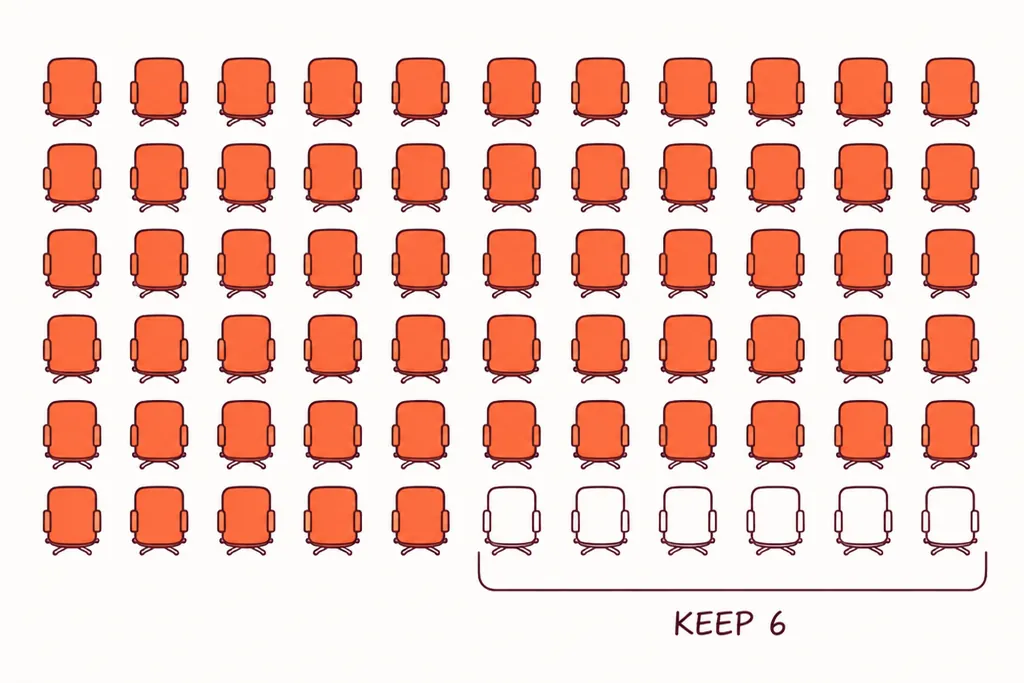
And you don't have to move everyone. On a 60-seat team, keeping six Claude seats for the people whose work depends on a mature Skills library or on long-context analysis captures most of whatever saving you found, without destroying the capability you spent a year building. No vendor will suggest this to you, because it's a clean win for neither of them.
Put a number on the workflow you'd migrate first. Then decide whether the vendor is the variable.
Run the AI ROI calculator →Book 20 minutesBring the invoice and the post. We'll tell you in five minutes which one is the problem.
What we'd do before switching
Three things, in the order we do them.
First, get the actual invoice lines by product for the last three months. Most "Claude is expensive" conversations turn out to be "one usage line swings by thousands and nobody can explain it". That's a visibility problem, and we wrote the method for fixing it across Claude, ChatGPT, Copilot and Gemini.
Second, baseline one recurring workflow: time to prepare, time to generate, time to check, on the tool you already have. If nobody measured the cycle time, nobody can tell you whether a new model improved it. That baseline is what we ask for before any adoption sprint, whichever logo is on the login screen.
Third, if it's Astra specifically your team wants, check the model picker in your own workspace. It's off by default on Business and Enterprise. An admin ticking a box is cheaper than a migration, on either side.
The tool was never the problem. Nobody taught them to drive.
Frequently asked questions
Is GPT-6 Astra cheaper than Claude?
On a subscription, often yes. ChatGPT Business and Claude Team both charge $25 a month or $20 annual for a standard seat and $125 or $100 for a premium seat. ChatGPT puts GPT-6 Astra inside the seat as GPT-6 Pro, with 15 messages a month on standard and 50 a week on premium, next to image generation, agent mode, deep research and Codex. Anthropic bills Fable 5.1 as pay-as-you-go usage credits on a standard Claude Team seat and includes it within limits on premium. On the API the two flagships cost the same, $10 per million input tokens and $50 per million output, with cache reads at $1 on Astra against $0.25 on Fable 5.1.
How do I switch from Claude to ChatGPT?
Install the ChatGPT desktop app, sign in with your work account, open Settings, then Import, and select Claude Code, Claude Cowork or Cursor as sources. Choose the instructions, settings, skills, plugins, projects and recent work to bring over. Codex CLI users type /import. claude.ai Projects, memory entries, custom instructions and connectors don't transfer and are rebuilt by hand. Run both tools in parallel for two to three weeks before cancelling Claude seats. OpenAI documents the import at learn.chatgpt.com/docs/import.
Is GPT-6 Astra available on ChatGPT Business?
Yes, as GPT-6 Pro, which OpenAI says is powered by GPT-6 Astra and is rolling out to the Pro $100 and $200 plans, Business and Enterprise. Access is off by default, so a workspace admin has to enable it. Check the model picker in your own workspace before assuming a migration is needed to get it.
Is GPT-6 Astra more powerful than Claude Fable 5.1?
On Artificial Analysis's Intelligence Index, checked on 6 September 2026, Claude Fable 5.1 scored 57 against 55 for GPT-6 Astra, and 70 against 67 on the coding index. Third-party reviews credit Astra with an edge on research-level maths and abstract reasoning. On everyday business tasks such as budget variance commentary or meeting follow-ups, we haven't seen a gap that justifies a migration, which is our opinion rather than a benchmark.
How long does a Claude to ChatGPT migration take?
The import itself runs in minutes. A realistic end-to-end migration for a 50 to 200 person company is two to three weeks: a day for inventory, a few days on procurement and compliance, a day of importing and rebuilding Projects, a day of testing against real work, then a parallel period before cutover. Re-testing prompts against a different model family and getting connectors reauthorised by IT set the pace, never the file transfer.
We sit in the passenger seat for this exact problem
We're We Call Shotgun, a founder-led AI adoption practice working across the UK and France. We're tool-agnostic across ChatGPT Enterprise, Microsoft Copilot, Google Gemini and Claude, and every engagement starts with a baseline and ends with a measured change in cycle time on real workflows. 2,000+ professionals coached, 50+ companies, 5.0/5 average rating. UK engagements from £3,500.
Run the free AI maturity diagnosis Book a free 20-minute callSources and further reading
- Anthropic, Claude model pricing — Fable 5.1, Opus 5 and Sonnet 5 rates, cache multipliers, batch discount, 1M context at standard pricing
- OpenAI, GPT-6 Astra model documentation, with rates cross-checked against CloudZero and Yotta Labs — $10/$50 list price, $1 cache read, batch and fast mode, long-context surcharge above 272,000 input tokens
- OpenAI, Premium seats are coming to ChatGPT Business and The Decoder, GPT-6 Astra rollout to top-tier ChatGPT plans — $25/$20 standard and $125/$100 premium seats, 15 messages a month and 50 a week for GPT-6 Pro
- Anthropic Help Centre, Claude Fable models on your plan — Fable 5 and 5.1 standard on Max and premium seats, pay-as-you-go usage credits on Pro and standard seats
- OpenAI, Import from another agent — the desktop app and Codex CLI import flow for Claude Code, Claude Cowork and Cursor
- OpenAI, Astra prompting best practices and prompt engineering guide
- OpenAI Help Centre, ChatGPT Business models and limits — GPT-6 Pro availability and the off-by-default setting
- Artificial Analysis, GPT-6 Astra vs Claude Fable 5.1 — Intelligence Index 57 vs 55, Coding Index 70 vs 67, as read on 6 September 2026
- DataCamp, GPT-6 Astra vs Claude Fable 5.1 — the case for Astra on research-level maths and abstract reasoning
Prices and index scores were checked on 6 September 2026 and change often. Seat prices are list prices in US dollars; add VAT and FX spread for a UK or French invoice. The seat-count example is illustrative; it isn't a benchmark of either product.